Installation
Installing LJE is a multi-step process. Easy to anyone who understands how their computer works.
Step 1: Download LJE
- Go to the LJE GitHub Repository.
- Click on the latest commit's status icon like so:
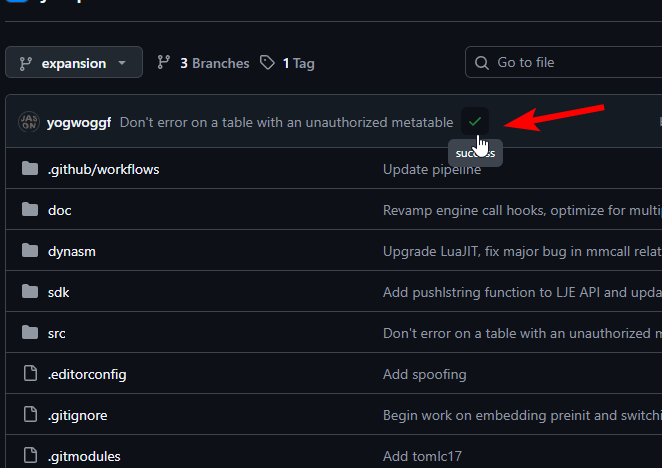 .
. - Click on the
Detailslink when the modal opens up: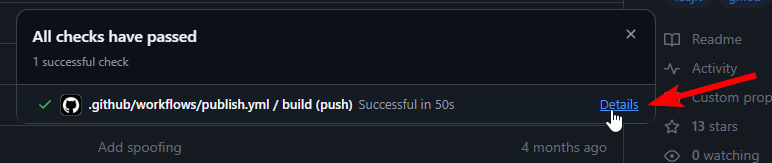 .
. - Once you're in the Details page, click on
Summary, then click on the latest artifact: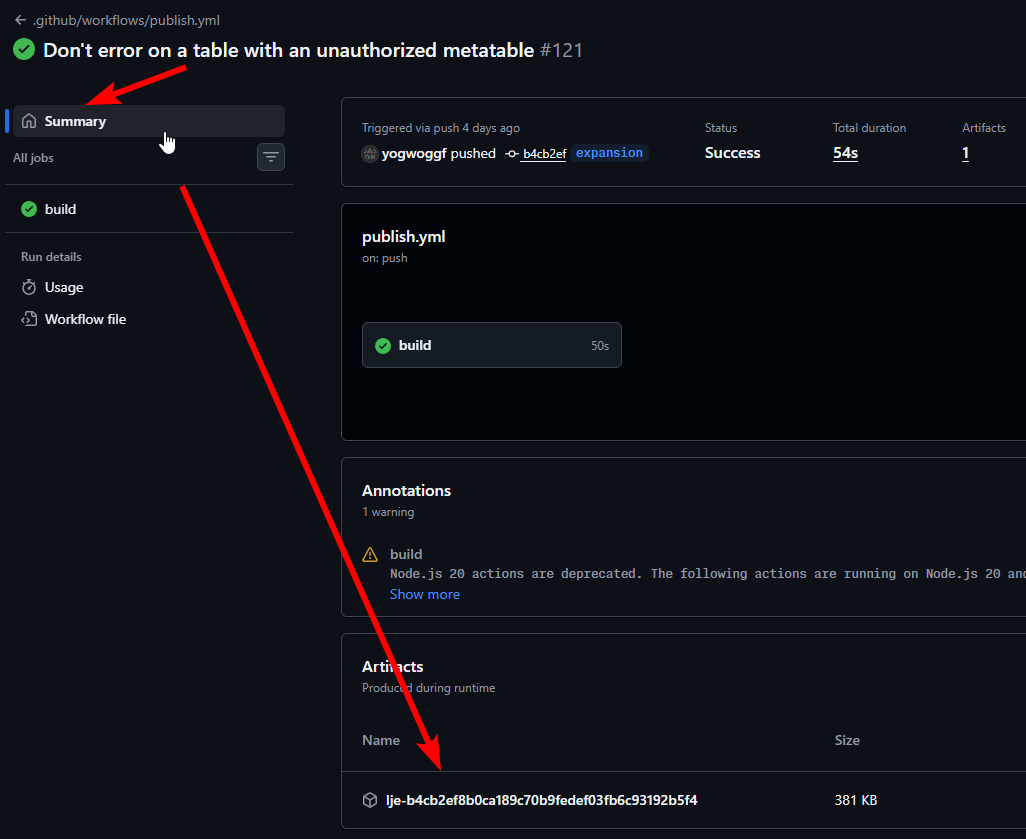
- Download the zip containing LJE to a folder where you'll keep LJE consistently.
Step 2: Prepare GMod
- Go to Steam.
- Right click on Garry's Mod, open the
Properties...menu. - Go to
Game Versions & Betaand ENSURE you're on the x86-64 branch: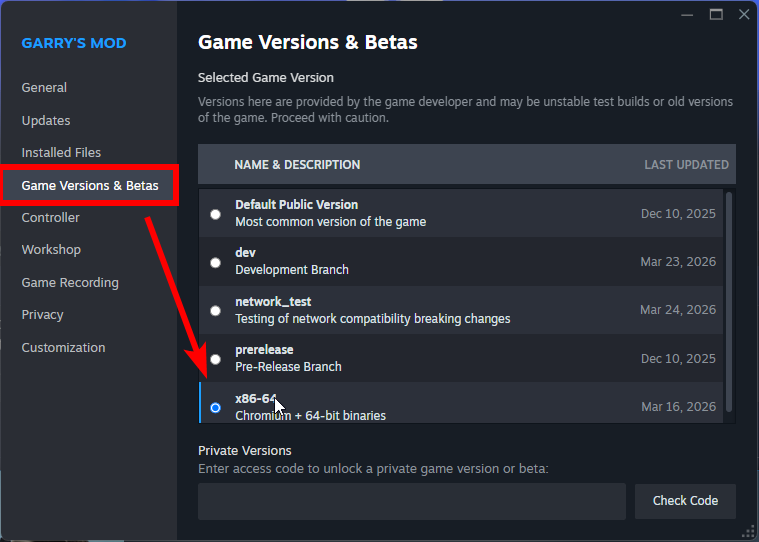 .
.
Step 3: Set GMOD_PATH
LJE needs to know where you keep your GMod. This is also useful if you have a non-standard GMod installation.
It knows this by the GMOD_PATH environment variable, which you will set up.
- Open up Settings.
- Search for
environmentin the search bar. - Click on the item specifically for your account:
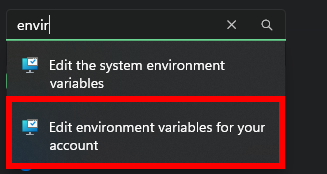
- In the menu, click
New...to open up the dialog. - Type in
GMOD_PATHfor variable name. - Click
Browse Filenext, and navigate to where your GMod is installed. - Select
bin/win64/gmod.exefrom your GMod installation folder: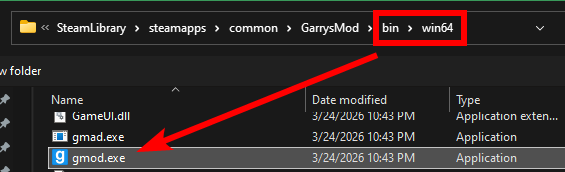
- Close the dialog now.
Step 4: Run LJE
- Extract LJE from the zip.
- Run
lje-launcher.exeto open GMod with LJE:
- GMod should open with the LJE console appearing.
Troubleshooting
- Make sure your GMod is on
x86-64, LJE does not support any other version of GMod. - The environment variable has to point to the
gmod.exeinbin/win64, make sure it does. - Some antiviruses might find the injection of
lje-launcher.exesuspicious, explicitly allow the file if it becomes an issue.